
TECH
Thirty years ago, a high-end personal computer ran on a 60 MHz Intel Pentium processor. It had one core, one thread, and 3.1 million transistors etched at 800 nanometers. That was cutting-edge in 1993. Today, I sit in front of a machine powered by a Ryzen 7 5800X running at 4.7 GHz—4,700 MHz—roughly seventy-eight times the raw clock speed. Eight cores. Sixteen threads. Forty-one billion transistors fabricated on a 7-nanometer process. If each transistor were a grain of sand, that early Pentium would fill a small cup. The Ryzen would fill a football stadium.
That scale shift is not incremental. It is civilizational.
My current system is built on AMD’s AM4 platform. The newer AM5 platform has already moved the line forward, while Intel operates on its own LGA socket systems, each generation tied to a specific motherboard compatibility standard. Matching a CPU to the correct motherboard is one of the first rituals of PC building. It is part engineering, part puzzle-solving. You do not just buy parts. You assemble a coherent architecture.
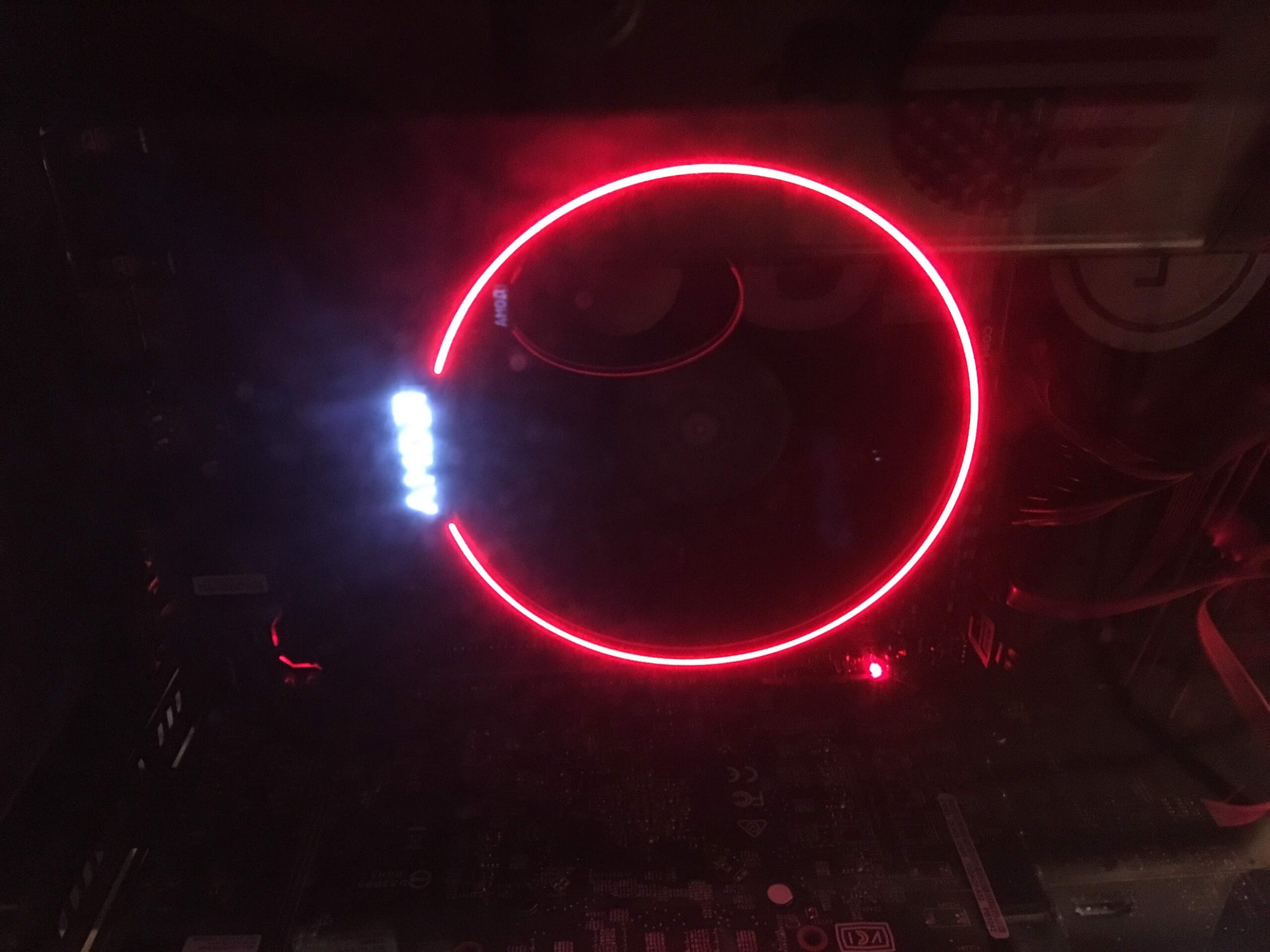
Cooling becomes the next decision. Stock coolers function, but they are compromises. A $30–$60 tower air cooler dramatically lowers temperatures and noise. A 360 mm all-in-one liquid cooler—with three 120 mm fans—can now be had for around $60. Thermal management has become democratized. My current build uses a large air cooler. It performs well, but it occupies physical territory—hovering over RAM slots, looming near NVMe drives. Every build involves tradeoffs between clearance, airflow, and aesthetics. Cases in the $70–$100 range often include four preinstalled 120 mm fans and support a top-mounted 360 mm radiator. For under $150 total, cooling can be engineered to exceed what was once considered enthusiast-only territory.
Memory is another layer of understanding. System RAM—DDR4 or DDR5—is the CPU’s workspace. It holds the operating system and application data. It is separate from the graphics card’s VRAM, which belongs exclusively to the GPU. Modern GPUs range from modest 3 GB configurations to 32 GB monsters. Both NVIDIA and AMD now offer cards at that upper tier.
Over time, my own GPU progression tells a story of technological ascent: GTX 960 1 GB. RX 550 4 GB. RX 580 4 GB. GTX 1660 Ti 6 GB. RTX 3060 Ti 8 GB. RTX 5070 12 GB. I still keep an RX 580 8 GB on hand. Each card marked a different era of capability.
VRAM alone does not define performance. The processing architecture matters more. In NVIDIA’s ecosystem, CUDA cores represent parallel compute units. In AMD’s design, similar roles are filled by compute units within their architecture. A GPU may have sufficient VRAM to load textures at 1440p or 4K, but without sufficient processing throughput, it cannot render frames smoothly. Memory capacity and processing power must scale together.
Consider the RTX 5060 Ti, offered in 8 GB and 16 GB variants. The additional memory benefits high-resolution textures, but its 4,608 CUDA cores and 128-bit memory bus place limits on throughput. By contrast, the RTX 5070 with 12 GB carries 6,144 CUDA cores, a 192-bit memory bus, and 672 GB/s of bandwidth. It draws more power and operates across a full x16 PCIe interface. The RTX 5070 Ti 16 GB advances further still—not merely because of additional VRAM, but because the entire architecture scales upward.
Modern GPUs incorporate AI-assisted technologies such as DLSS from NVIDIA and FSR from AMD. These systems render games at a lower internal resolution and then reconstruct the image to the monitor’s native resolution. DLSS uses dedicated AI hardware; FSR relies on software techniques and operates across vendors. The effect is practical: less workload on the GPU, higher frame rates, and visual quality that approaches native rendering.
With this hardware, I can play Battlefield at 4K resolution at 165 frames per second or higher, often approaching 200 FPS. The motion is fluid. Input response feels immediate. I have been playing Battlefield on PC since the days of Battlefield 2, shortly after Battlefield 1942. I know how the series is meant to feel. Experiencing it at 4K with DLSS enabled on an RTX 5070 delivers a clarity and smoothness that would have been inconceivable when I first heard those early in-game explosions through basic desktop speakers.
Some chase the newest flagship GPU each cycle. There is nothing inherently wrong with that, but satisfaction does not scale linearly with price. For years I played at 1080p on Medium settings and enjoyed every session. Hardware does not create enjoyment; it expands the canvas.
Still, there is something quietly remarkable about standing in front of a machine that renders complex worlds at 4K with frame rates once reserved for low-resolution competitive shooters. The evolution from 60 MHz and 3.1 million transistors to multi-gigahertz, multi-core processors with tens of billions of transistors is not just about speed. It reflects advances in fabrication physics, parallel computation, software optimization, and consumer accessibility.
The future trajectory remains open. Native 4K at 165 FPS without reconstruction techniques will eventually become standard. Process nodes will shrink further. Architectures will evolve. But even now, the experience exceeds what seemed plausible only a decade ago.
For a PC builder and lifelong gamer, the machine is not merely a tool. It is a timeline made tangible—an assembled monument to three decades of human engineering ambition.
Building My Own Cloud Gaming System (Without Paying a Dime)
There’s a certain moment every tech geek has. It’s the moment you realize the “official” solution is expensive, locked down, or artificially limited—and there has to be a better way. For me, that moment was cloud gaming. Services like NVIDIA GeForce Now are impressive. They work. But paying monthly to stream games I already own felt wrong. My gaming PC was sitting at home with an RTX 5070, powerful enough to render anything I threw at it. Why outsource that power to someone else’s server farm? So I built my own. Not by writing code. Not by soldering boards. But by connecting the right pieces of open-source software and understanding how the pipeline works.
The two core components are Sunshine and Moonlight. Sunshine runs on the gaming PC. It captures the frames, encodes them using the GPU’s hardware encoder (NVENC in my case), and streams them out. Moonlight runs on the client device. It decodes that stream and displays it. That’s it. No subscription. No third-party server in between. Just my machine talking directly to my machine. The beauty is in the separation of labor. The host does the heavy lifting. The client just decodes video. That means the receiving device doesn’t need to be powerful.
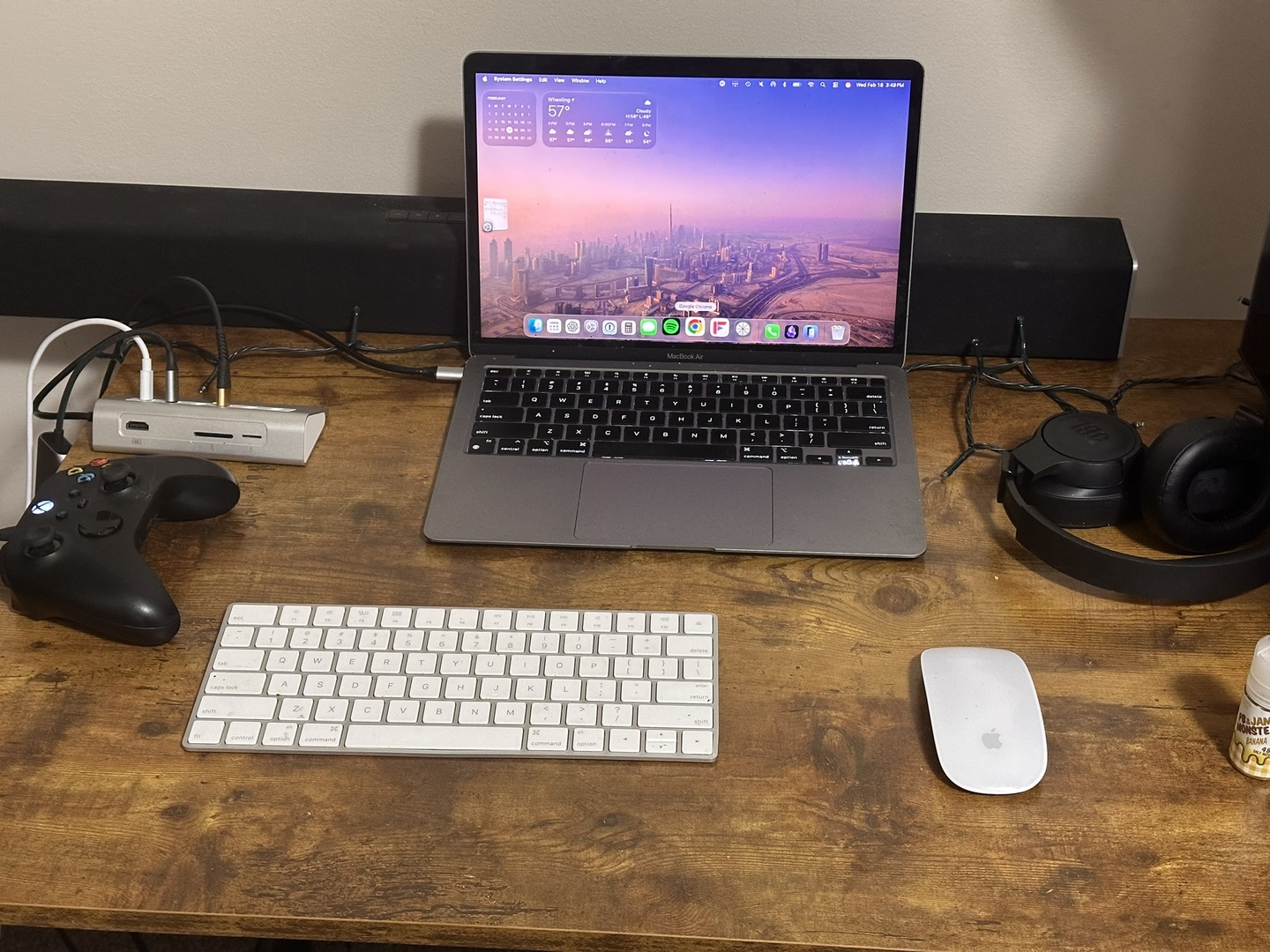
I tested this on a 2016 Dell Latitude running Linux Mint with an Intel HD 520 integrated GPU. That machine cannot game. It struggles with modern titles locally. But it can decode video streams just fine. So it becomes a window into my gaming PC. Then I tested it on my M1 MacBook Air. Even better. Smooth 1080p at 60 FPS, stable, low latency, nearly indistinguishable from sitting at the desktop itself. Then I pushed it further. I was 65 miles away from home on Wi-Fi, connected to my gaming PC through a mesh VPN using Tailscale. No port forwarding. No exposed IP addresses. No fragile router gymnastics. Just a secure private network that makes remote devices behave as if they’re on my local LAN.
I launched God of War. It ran. Not “technically working.” Not “kind of playable.” It ran smoothly. Stable 60 FPS. Minimal latency. Controller input felt immediate. When I wasn’t recording, it was even tighter. That’s when it clicked. The pipeline is straightforward. The game renders on the host PC. Sunshine captures the frames. The GPU encodes them using H.264 in my case for stability. The network transports the stream. Moonlight decodes and displays it.
Your weakest link defines your ceiling. Upload speed, encoder settings, network stability, decoder capability, display resolution—one of them will cap you. For me, the hard ceiling is 35 Mbps upload at home. That limits how aggressive I can be remotely. On LAN, I can push bitrate higher and move toward 1440p or 120 FPS. Remotely, I stay realistic at 1080p60 and 20 Mbps. Matching resolution between host and client matters. If you stream 1080p, configure the virtual display to 1080p. Remove unnecessary scaling. Keep the pipeline clean. Hardware encoding on the host. Hardware decoding on the client. Avoid overcomplication.
What surprised me most wasn’t the performance. It was the freedom. I can power a Steam Deck with my desktop GPU. I can use an old Windows 10 laptop that can’t upgrade to Windows 11 and turn it into a gaming terminal. I can put Linux Mint XFCE on aging hardware and give it a second life as a streaming client. I can dock a handheld to a TV and let my main rig do the work. The experience stops feeling like “remote desktop” and starts feeling like displacement. My PC isn’t in my office anymore. It’s wherever I am.
There’s something deeply satisfying about self-hosting your own cloud. No subscription tiers. No time limits. No queue. Just your hardware, your network, and your configuration discipline. It’s not magic. It’s encoding, transport, and decoding. But when it works—and it does—it feels close enough. Once you understand the moving parts, you realize the modern gaming PC isn’t just a box under a desk. It’s a private data center.
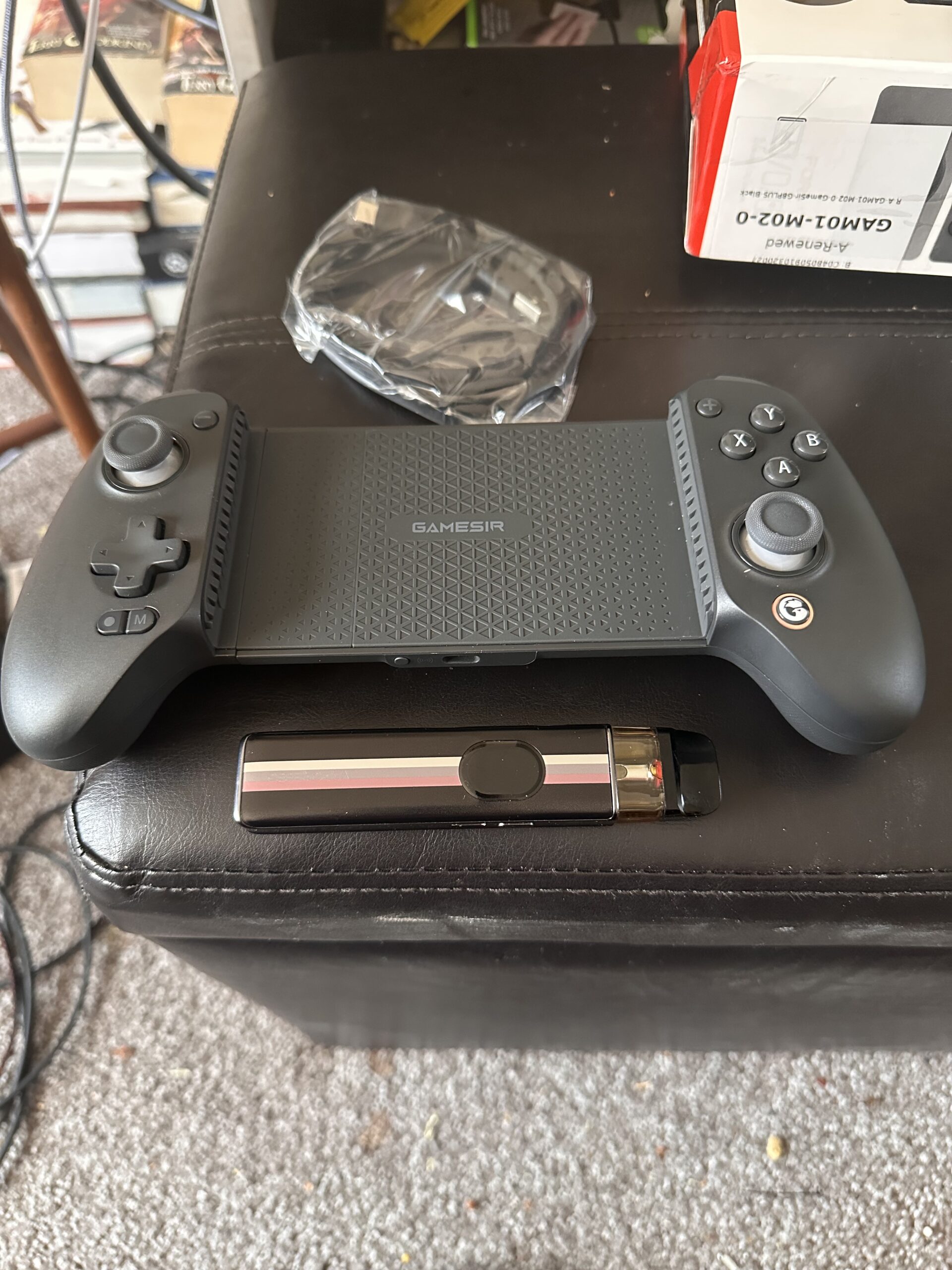
I also purchased a refurbished GameSir G8 Plus with Bluetooth for use with my iPhone 14 Pro over Wi-Fi. This effectively turns the phone into a 1080p 120fps handheld device comparable to a Steam Deck, complete with integrated physical controls. All of my Steam titles run through Big Picture Mode without issue, and I was able to add Xbox Cloud Game Pass PC titles into Steam so they launch cleanly and work with the controller as well. I also tested Red Dead Redemption 2, which launches through the Rockstar Launcher rather than Steam. The solution was to add the Rockstar app itself as a non-Steam game, allowing proper controller passthrough and seamless launching.
The result is a fully portable 120fps handheld setup powered by my main gaming PC. I can lay in bed and play RDR2, GTA V, Marvel’s Spider-Man Remastered, BeamNG.drive, Battlefield 1, Battlefield 6, and Microsoft Flight Simulator 2024 on what is essentially a high-refresh remote terminal. With Tailscale configured on the iPhone, I can extend this setup outside my home network and play remotely when visiting my parents. No more being confined to a guest room desk with a MacBook and external monitor. This setup effectively turns my iPhone into a high-performance thin client for my Ryzen and RTX desktop—leveraging the full power of my main rig while staying completely mobile.
Custom Built PC:
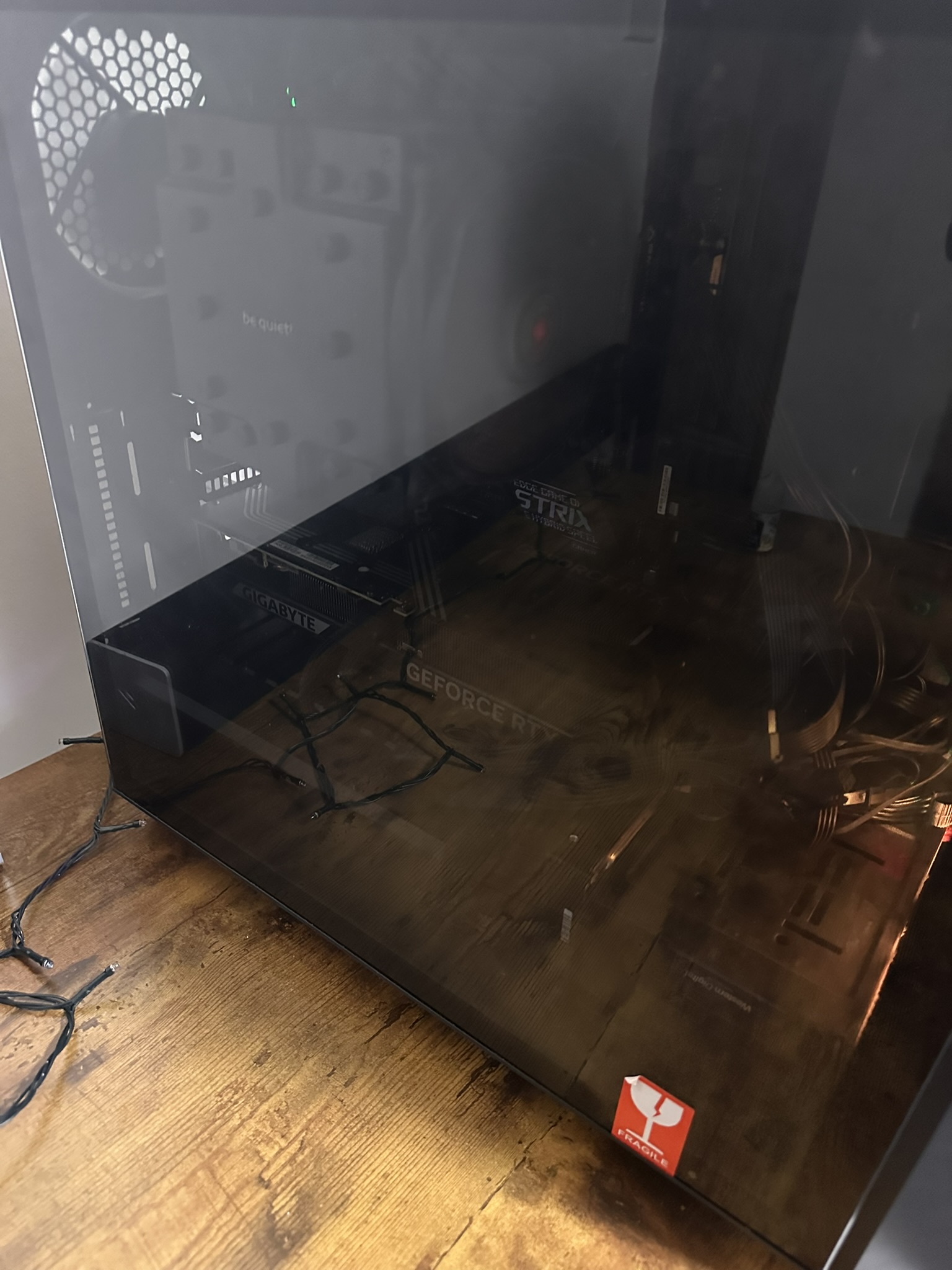
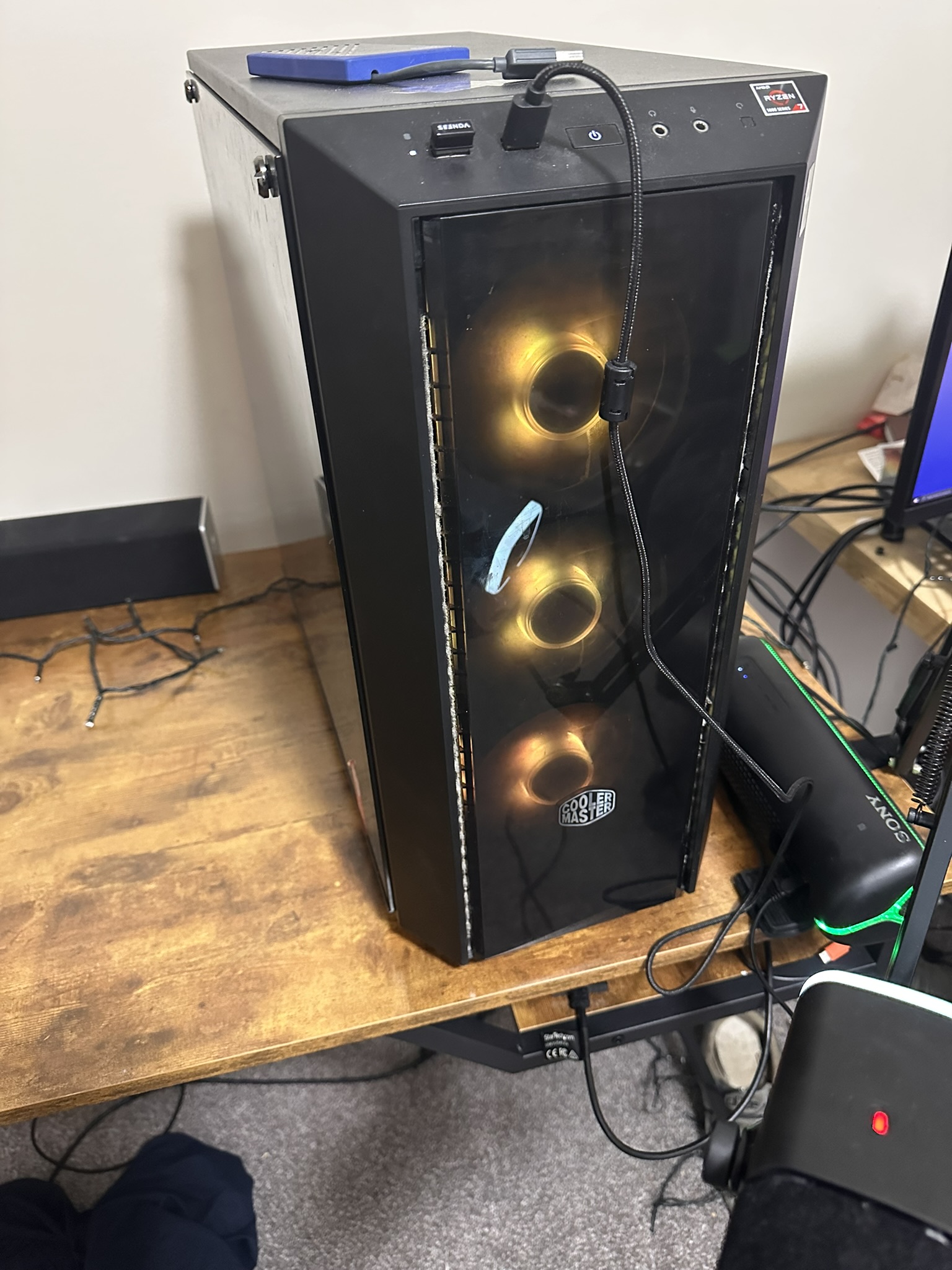
Ryzen 7 5800X + BeQuiet Dark Rock Pro 4 Heatsink/Cooler
32 GB DDR4 3200MHz RAM
23 TB Storage (NVMes, SATA HDDs, SATA SSDs, USB backup drives)
850W PSU
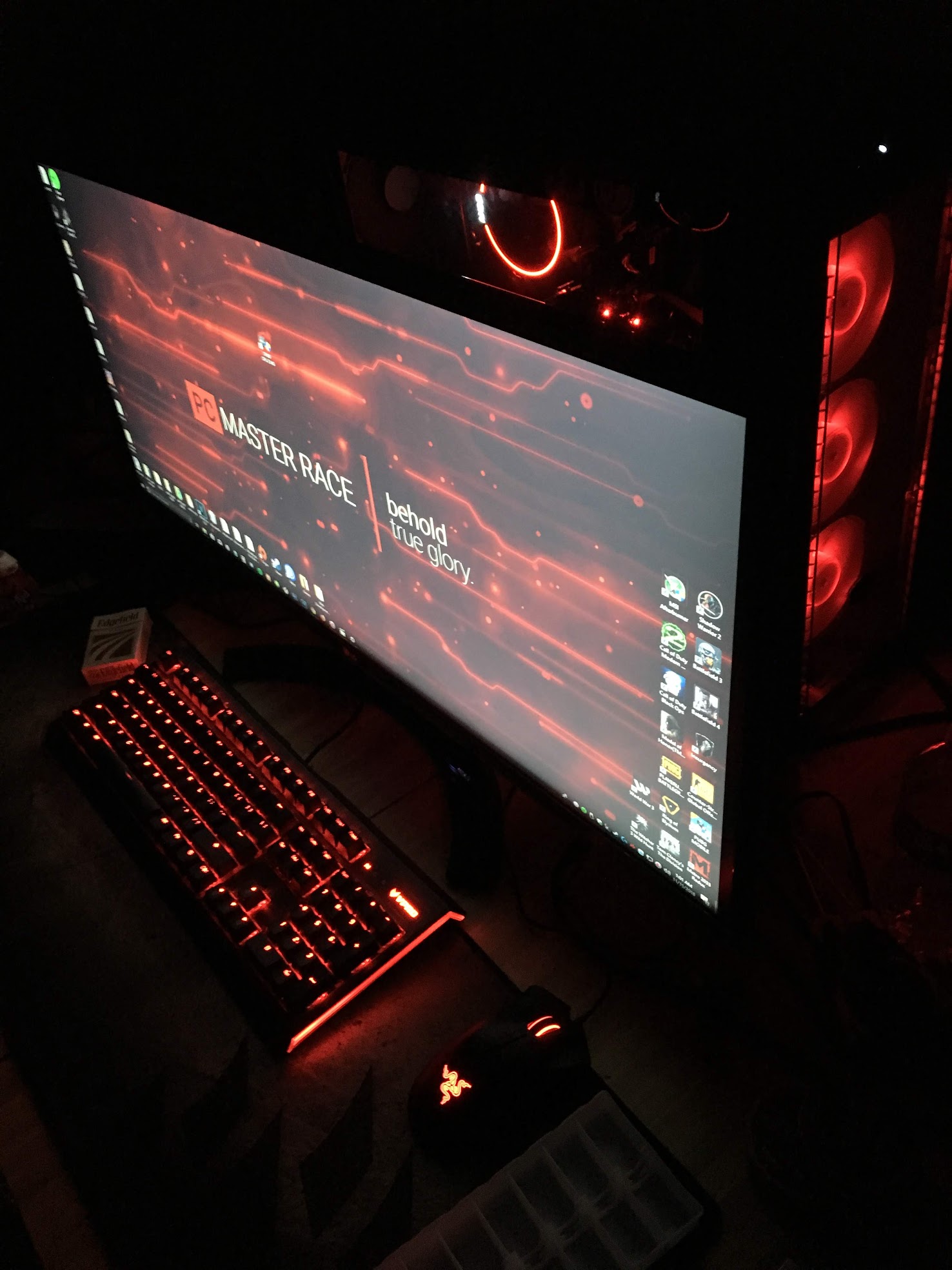
RGB Case
RTX 5070 12GB
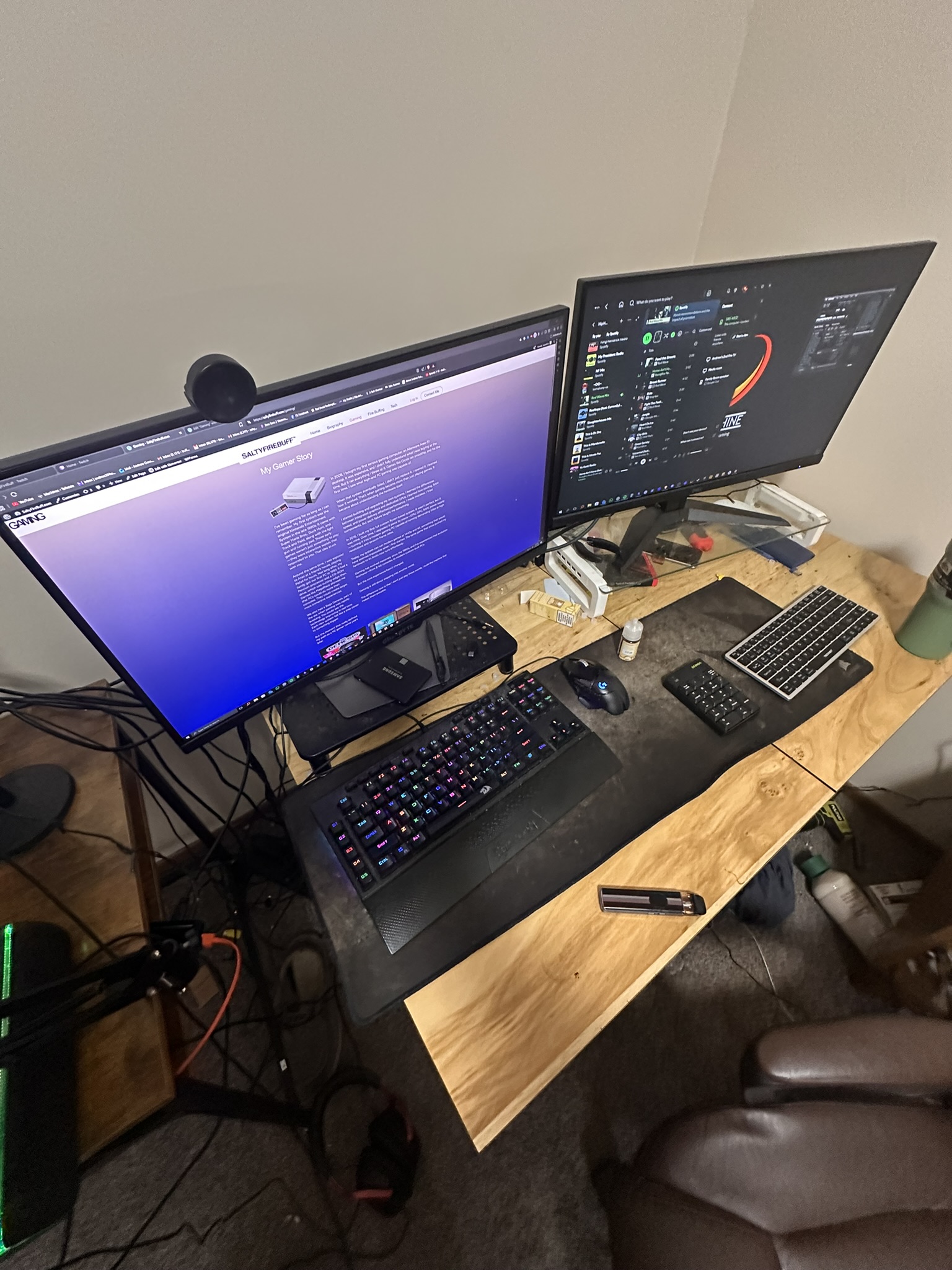
4K 165 hz main monitor 27″
1440p 180 hz second monitor 27″
Mechanical Keyboard
FiFine AM8 USB-C mic
HyperXCloud III wired
Series X Controller Wired
Windows 11 Pro
Moonlight device and 2nd PC:
2020 Macbook Air M1 (Tahoe macOS)
Dell Latitude E5470 on Linux
Lenovo C365 AIO Refurbished Linux
iPhone 14 Pro 512 GB
Gamesir G8 Plus – BT Controller (for Moonlight)
Lenovo Tab P11 2 TB350FU 2nd Gen 2023 11.5″ 4GB 128GB
A Review of the Top 3 Firefighter Paid Simulation Games
Firefighter simulation games have reached a remarkable level of realism on modern PC and console hardware. Several titles now attempt to faithfully recreate real-world firefighting operations, including Into the Flames, Flashing Lights, EmergeNYC, Emergency Response: Liberty County (Roblox), Firefighting Simulator: The Squad, and Firefighting Simulator: Ignite. With Into the Flames: Working Alarm scheduled for release in Q2 2026, the genre continues advancing toward an increasingly accurate representation of real fire service operations.
Among these, three games stand clearly above the rest in terms of realism, immersion, and operational depth: EmergeNYC, Into the Flames, and Firefighting Simulator: Ignite. Each excels in different areas and appeals to different types of players—whether your focus is apparatus operation, fireground tactics, pump mechanics, or advanced fire behavior simulation.
EmergeNYC — The Most Authentic FDNY Experience
Operational Game Status: Dead in the water. Developer support has effectively ended. However, the game remains highly enjoyable and valuable for fire buffs, FDNY enthusiasts, and firefighter simulation players. It remains worth the purchase for its realism and depth.
Official Website: https://www.emergenyc.net
Price: $24.99 USD on Steam
System Requirements
Windows
MINIMUM:
Requires a 64-bit processor and operating system
OS: 64 Bit Operating System
Processor: Intel Core i5 / AMD FX-9590 or better
Memory: 16 GB RAM
Graphics: GTX 670 2GB / AMD R9 280 or better
DirectX: Version 11
Network: Broadband Internet connection
Storage: 20 GB available space
RECOMMENDED:
Requires a 64-bit processor and operating system
OS: 64 Bit Operating System
Processor: Intel Core i7-3770 / AMD FX-9590 or better
Memory: 32 GB RAM
Graphics: GTX 1070 4GB or greater
DirectX: Version 11
Network: Broadband Internet connection
Storage: 20 GB available space
In modern PC terms, this means an AMD Ryzen 5 or Ryzen 7 processor on AM4 or AM5 platforms, or an Intel Core i7-class CPU or better. The game is CPU- and memory-intensive, and while it will run on minimum specifications, optimal performance requires 32 GB of RAM and a modern GPU.
A GTX 1070 4GB is the true baseline for playable performance, but for smooth gameplay at 1440p or 4K resolution with high textures, a GPU with 8 GB to 12 GB of VRAM is strongly recommended. Cards such as the RTX 2060 Super, RTX 3060 12GB, or RTX 3060 Ti 8GB provide excellent performance. Modern RTX 4000 and RTX 5000 series GPUs also perform well, though VRAM capacity remains the key limiting factor for high-resolution texture loading.
Lower-end GPUs such as the RX 580 or RX 480 8GB may struggle due to the game’s extremely heavy texture usage and VRAM demands, especially above 1080p resolution.
EmergeNYC delivers the most authentic FDNY firefighting simulation currently available in any video game. Its greatest strength lies in its accuracy of sound design, apparatus modeling, and department-specific detail. The fire trucks look, sound, and operate like real FDNY rigs, including authentic sirens such as the Federal Signal Q, EQ2B, Powercall, and PA-200 and PA-300 electronic sirens. Anyone familiar with FDNY operations will immediately recognize the authenticity.
Players can operate real-world FDNY companies, including Brooklyn units such as Squad 252, Squad 1, Rescue 2, Engine 227, Engine 222, Engine 280, Ladder 132, Ladder 123, Engine 214, and Truck 111. Manhattan companies and specialty apparatus are also fully represented.
Operational realism is where EmergeNYC truly excels. Players can transmit a full 10-75 working fire assignment directly from the station console, just like real FDNY dispatch operations. From there, players can manage individual companies, assign positions, deploy handlines, ventilate roofs, perform search operations, and execute full truck company functions including overhaul.
Pump operations and apparatus control are highly technical and require real attention to detail. Proper positioning, water supply management, and coordination between engine and truck companies must be executed correctly. The learning curve is steeper than most firefighting games, but this depth is what makes the experience so rewarding for serious simulation players.
In addition to FDNY operations, the game includes a large open-world volunteer fire district based on Montgomery County, New York. Players can operate tankers, quints, engine companies, rescue engines, brush trucks, tower ladders, and heavy rescue units. Mutual aid companies such as Clearwater VFD Heavy Rescue Squad are also included. Siren tones differ slightly from FDNY apparatus, reflecting the more varied electronic sirens commonly used by volunteer departments across Pennsylvania, Maryland, New Jersey, and New York.
Players can generate dozens of emergency scenarios, including residential fires, commercial fires, vehicle fires, vehicle accidents, and urban incidents such as manhole fires.
The game’s primary weakness is technical instability. Bugs can occur, including hose deployment issues and occasional system failures. However, despite these flaws, its unmatched FDNY authenticity and operational depth make it one of the most technically realistic firefighting simulations ever released.
Into the Flames — The Best Sandbox Firefighter Simulator
Operational Game Status: Live, with occasional updates. Full DLC catalog available at reasonable prices. Some content, such as the Tiller Ladder DLC, remains unfinished but is accessible through developer Patreon support. The development team is currently focused on Into the Flames: Working Alarm, scheduled for Q2 2026.
Price: $19.99 USD on Steam (frequently discounted)
DLC: $2.99–$4.99 USD each
Official Discord: https://discord.com/invite/IntoTheFlames
System Requirements
MINIMUM:
Requires a 64-bit processor and operating system
OS: Windows 10
Processor: Intel Core i3 or equivalent
Memory: 8 GB RAM
Graphics: Nvidia 750 Ti or equivalent
Storage: 8 GB available space
RECOMMENDED:
Requires a 64-bit processor and operating system
OS: Windows 10
Processor: Intel Core i5 or equivalent
Memory: 8 GB RAM
Graphics: Nvidia GTX 970 or equivalent
Storage: 8 GB available space
Additional Notes: SSD strongly recommended for faster load times
Into the Flames excels as a sandbox firefighting simulator, offering exceptional flexibility, customization, and player control. On PC, especially at 1440p and 4K resolutions, the game delivers strong visual performance with detailed apparatus models, realistic lighting, and immersive fire effects.
One of the game’s strongest features is its full apparatus and station customization system. Players can configure any of the ten fire stations with engines, ladder trucks, rescues, and specialty apparatus. Custom liveries allow players to recreate real fire departments such as Kentland Volunteer Fire Department, Harrisburg Bureau of Fire, Pittsburgh Bureau of Fire, Pittsburgh EMS, and Wheeling Fire Department.
Pump operations in Into the Flames are fully manual and technically accurate. Players must establish water supply from hydrants, engage pumps, manage discharge pressures, and maintain proper flow to handlines. Typical handline pressures range between 120 and 140 PSI depending on the line and fire conditions. Tank-to-pump and tank-to-fill operations must also be managed correctly to sustain continuous water supply.
These mechanics closely reflect real-world engine company operations and provide an excellent training-level understanding of how fire apparatus function.
While Into the Flames offers excellent pump mechanics, EmergeNYC expands these concepts further with deeper technical complexity and greater operational realism, especially on PC. Together, these two titles represent the most complete apparatus operation simulations currently available.
The game supports both single-player and multiplayer modes. AI firefighters assist with suppression, allowing solo players to operate apparatus effectively while managing larger incidents.
Into the Flames is ideal for players who want maximum control, full customization, and highly realistic apparatus operation in an open-ended sandbox environment.
Firefighting Simulator: Ignite — The Most Advanced Fire Behavior Simulation
Operational Game Status: Live (Released October 2025). Active DLC development ongoing.
Official Discord: https://discord.gg/astragon
Price: $34.99 USD on Steam
System Requirements
MINIMUM:
Requires a 64-bit processor and operating system
OS: Windows 10
Processor: AMD Ryzen 5 3700 / Intel Core i7-9700
Memory: 8 GB RAM
Graphics: NVIDIA RTX 2060 Super / AMD RX 5700 XT (8GB VRAM)
DirectX: Version 12
Storage: 45 GB available space
RECOMMENDED:
Requires a 64-bit processor and operating system
OS: Windows 10
Processor: AMD Ryzen 7 5700X / Intel Core i7-12700K
Memory: 16 GB RAM
Graphics: RTX 3070 / RX 6800
DirectX: Version 12
Storage: 45 GB available space
Firefighting Simulator: Ignite delivers the most advanced fire behavior simulation currently available in the genre. Fire spreads dynamically based on airflow, oxygen availability, and structural conditions. Dangerous fire phenomena such as flashover and backdraft are accurately simulated.
Tactical firefighting techniques such as ventilation and VES (Vent-Enter-Search) are fully integrated into gameplay, requiring players to use real firefighting strategies to control fire conditions and perform rescues.
On PC, performance is excellent, with stable 60 FPS gameplay at high settings and 4K resolution on modern GPUs. This creates an immersive and realistic firefighting experience.
The primary limitation is apparatus variety. All vehicles are Rosenbauer models, which, while realistic, do not represent the full diversity of American fire apparatus manufacturers.
Despite this, the fire behavior simulation itself is among the most advanced currently available.
PC Requirements for Playable Performance
Understanding resolution and graphics scaling is critical for achieving playable performance. These games are heavily dependent on GPU performance and VRAM capacity.
Common display resolutions include:
1080p (Full HD): 1920×1080
1440p (QHD): 2560×1440
2160p (4K): 3840×2160
Higher resolutions dramatically increase GPU load. Players with mid-range or older GPUs can improve performance by lowering resolution scaling while maintaining higher display output resolution. This allows smoother gameplay without sacrificing overall visual clarity.
A dedicated GPU is strongly recommended for all firefighter simulation games. Cloud gaming options such as NVIDIA GeForce Now currently support Into the Flames, allowing play on lower-powered systems, including laptops and MacBooks, provided the game is owned on Steam.
Final Verdict
Each of these three games represents a different peak in firefighter simulation.
EmergeNYC provides the most authentic FDNY simulation, with unmatched realism in apparatus, sound design, and operational depth.
Into the Flames delivers the best sandbox firefighting experience, with highly accurate pump operations, full customization, and flexible gameplay.
Firefighting Simulator: Ignite offers the most advanced fire behavior simulation, with realistic fire dynamics, interior fire progression, and tactical firefighting mechanics.
Together, these titles represent the current state of the art in firefighter simulation on PC and console. With upcoming releases such as Into the Flames: Working Alarm, the realism, technical depth, and immersive quality of firefighting simulation will continue to improve.
EmergeNYC Gameplay
Into the Flames Gameplay
FF Sim: Ignite Gameplay